Energy tariffs
By entering your energy tariffs, Currentt can provide insight into your energy costs and actively use your tariffs in the control of the system.
- With the correct tariffs, Currentt calculates the correct energy costs. You will see them on the costs page and in your dashboards.
- With a dynamic contract, the Navigator also uses the tariffs to control the system smartly, for example to charge or discharge at the cheapest moment.
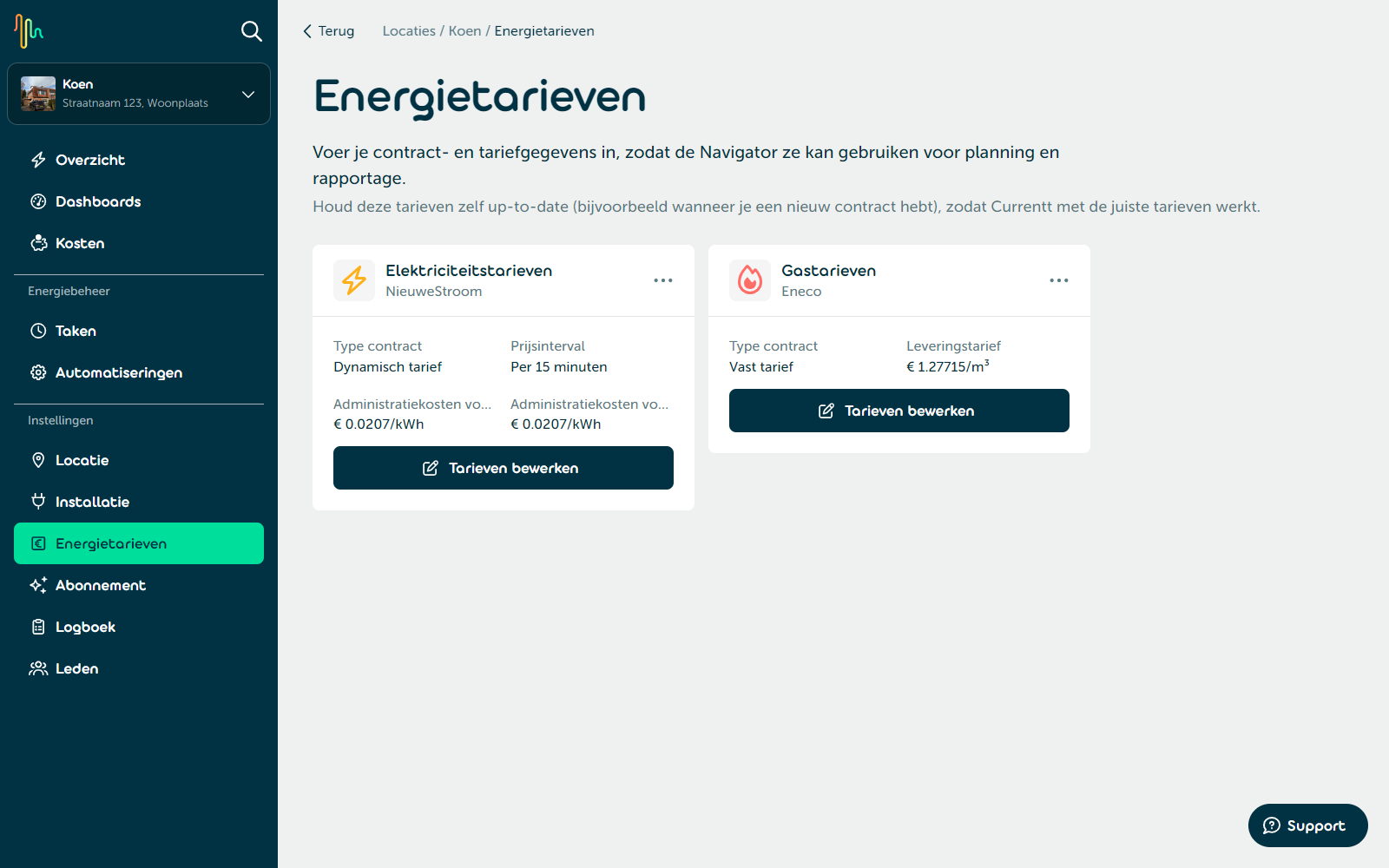
📋 Managing tariffs
Go to Energy tariffs to view and manage your tariffs. For each meter (electricity/gas) you see the supplier, the contract type and the entered tariffs.
Click Add tariffs to enter tariffs, or Edit tariffs to change existing tariffs. Changes take effect immediately.
Use the ··· menu on a card to edit or delete the tariffs. Deleting cannot be undone.
Currentt uses your tariffs from the moment you save them. Keep your tariffs up to date yourself, for example when you have a new energy contract, or a new tariff within a variable contract. If you delete a tariff, Currentt can no longer control the system based on tariffs or provide cost insights from that moment on.
⚡ Entering tariffs
In the input screen, fill in the general details:
- Contract type:
- Fixed: Your tariffs don't change during the contract.
- Variable: Your tariffs can change at certain moments during the contract.
- Dynamic: Your tariffs change based on market prices. Market prices are collected automatically; you only enter your admin costs.
- Supplier: Type and select the name of your energy supplier.
- VAT: Choose Including VAT or Excluding VAT. Then enter all your tariffs according to this choice. For a dynamic contract this choice is fixed to Excluding VAT.
Fixed or variable contract
Enter your tariffs per kWh (electricity) or per m³ (gas). For electricity, first choose the Tariff type: Single tariff or Normal and off-peak tariff.
- Import: Enter your import tariff, including energy tax. Whether VAT is included depends on your choice under VAT.
- Export (electricity only): Enter your export tariff, if any. To do so, calculate yourself the difference between your export compensation and export costs. Leave a field empty if you don't receive any compensation for that tariff.
Dynamic contract
- Electricity: Choose the Tariffs interval of your contract (Per 15 minutes or Per hour) and enter the admin costs for import and for export (in € per kWh).
- Gas: Enter your admin costs (in € per m³).
For a dynamic electricity contract, enter the admin costs excluding VAT and energy tax. Currentt adds the energy tax and VAT to the market price itself. For a dynamic gas contract, enter the admin costs excluding VAT.
Click Add tariff (or Save for existing tariffs) to save the tariffs.