NUC (mini-computer)
In some cases, Currentt may ask you to place a mini-computer (NUC) next to the Navigator. This is needed when an issue occurs that cannot be resolved remotely right away.
ℹ️ About the NUC
A NUC is a small computer that is placed in the meter cabinet next to the Currentt Navigator. After powering on, the computer connects to Currentt and makes it possible to remotely read the technical log and status messages of the Navigator. This allows Currentt to further analyze and resolve the issue.
🪛 Installation instructions
You will receive the following from Currentt:
- A NUC (mini-computer);
- A network cable;
- In most cases a USB-C data cable;
Follow the steps below to install the NUC.
1. Placement
Place the NUC within 2 meters of the Navigator. The included USB-C data cable is 2 meters long.
2. Connect data cable
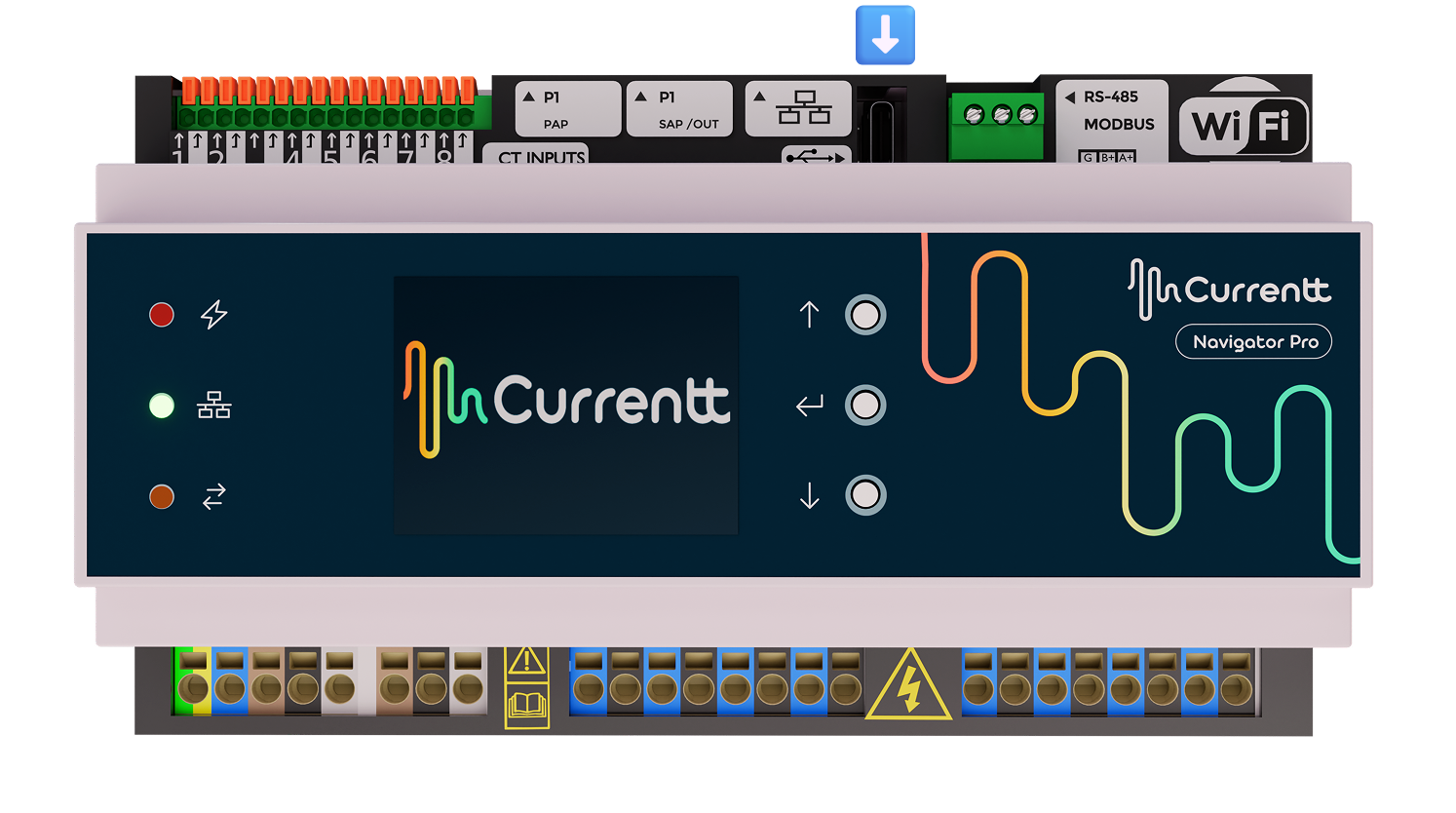
If a USB-C data cable has been included (in most cases): Connect the USB-C data cable to both the Navigator and the NUC. Temporarily remove the protective cover of the distribution board to access the USB-C port on the Navigator.
3. Connect power
Connect the power cable to the NUC.
4. Connect network cable
Connect the supplied network cable (ethernet) to the NUC. Make sure the NUC is on the same network as the Navigator.
5. Start the NUC
Turn on the NUC. The power button is located on the front of the NUC.
6. Notify Currentt
Send Currentt a message via support@currentt.nl that the NUC is running. Currentt will take it from here.