Network
The Navigator is preferably connected to the network using a cable. This ensures the most stable connection possible.
Also possible via WiFi
It is also possible to set up the network connection via WiFi. In that case, do not connect a network cable and configure the WiFi connection when you start up the Navigator for the first time.
🪛 Installation instructions
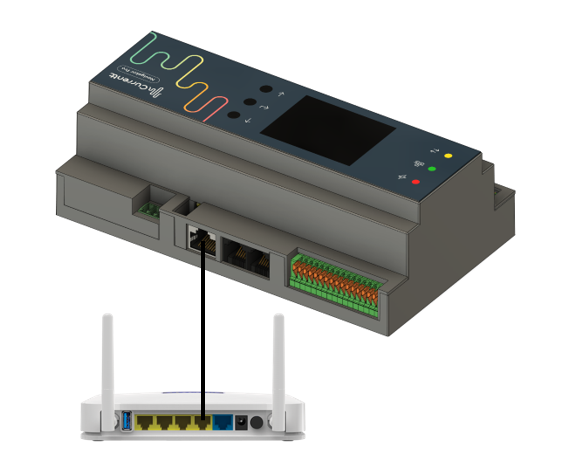
Connect the Navigator to the modem using a network cable. The Navigator will now automatically be assigned an IP address. The connection works in virtually all cases right away.
Note
If there is no immediate internet connection via the network cable, there may be restrictions on the network, such as MAC address filtering. These restrictions must be lifted by the network administrator.